
-
Incorrect client ID or client secret
Make sure you used the copy-and-paste option when entering the Client ID and/or Client Secret to avoid any typos.
-
Shop Name
Ensure there are no typos in the Shop Name you entered.
-
Incorrect scopes in the Custom App
Verify that all required scopes were added when creating your custom app in Shopify. The required scopes are:
read_analytics, read_customers, read_orders, read_products, read_reports -
App Distribution or Installation Issue
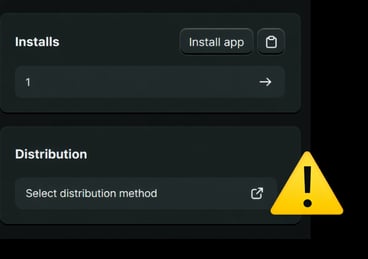
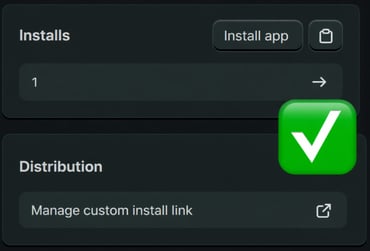
Make sure Distribution is enabled in your custom app settings and that you see “Manage custom install link” under the Distribution section in your custom app dashboard. (Refer to the screenshots below.)
Should you need any assistance with Shopify, please reach out to our Support Team 🤘
What's next: