
Integrate Google Analytics 4 into DashThis
Google Analytics 4 connects with your Google login. Once it is connected, you can build widgets with your GA4 data in any dashboard.
Permissions: Viewer access to your GA4 property is enough. To learn more about GA4 roles, see Google's help center.
Connect your account
- Go to DashThis and open your integrations page.
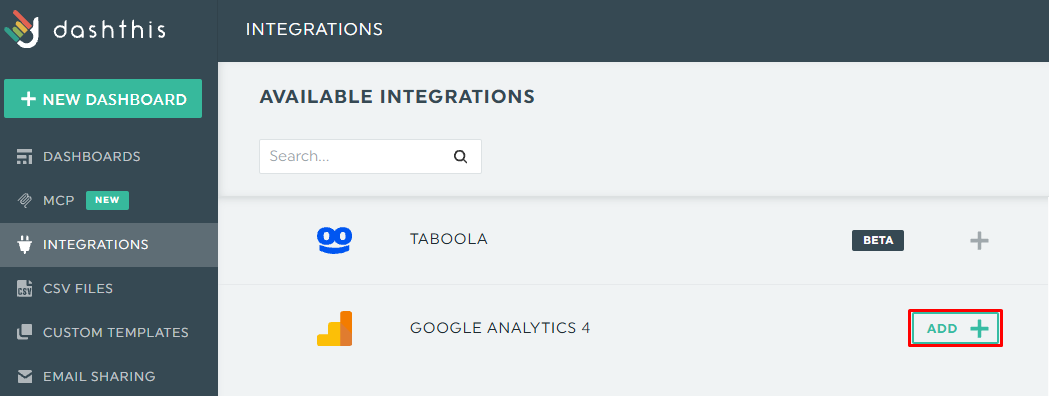
- Scroll or search through the list of available integrations and click ADD + beside Google Analytics 4.
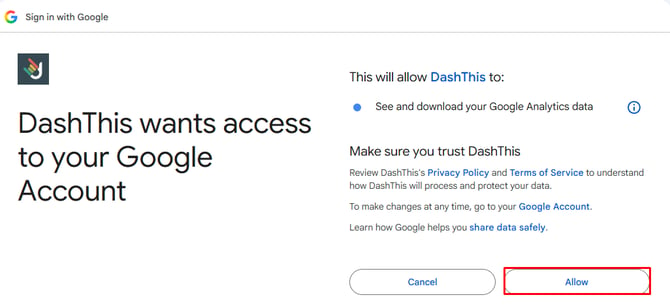
- Sign in to Google when you are redirected, and allow DashThis to access your Google Analytics 4 data. We only use it to build your dashboards.
- Allow everything on Google's permissions screen, then click Continue.
You're all set. You can now add Google Analytics 4 widgets to any dashboard. 🎉
Good to know
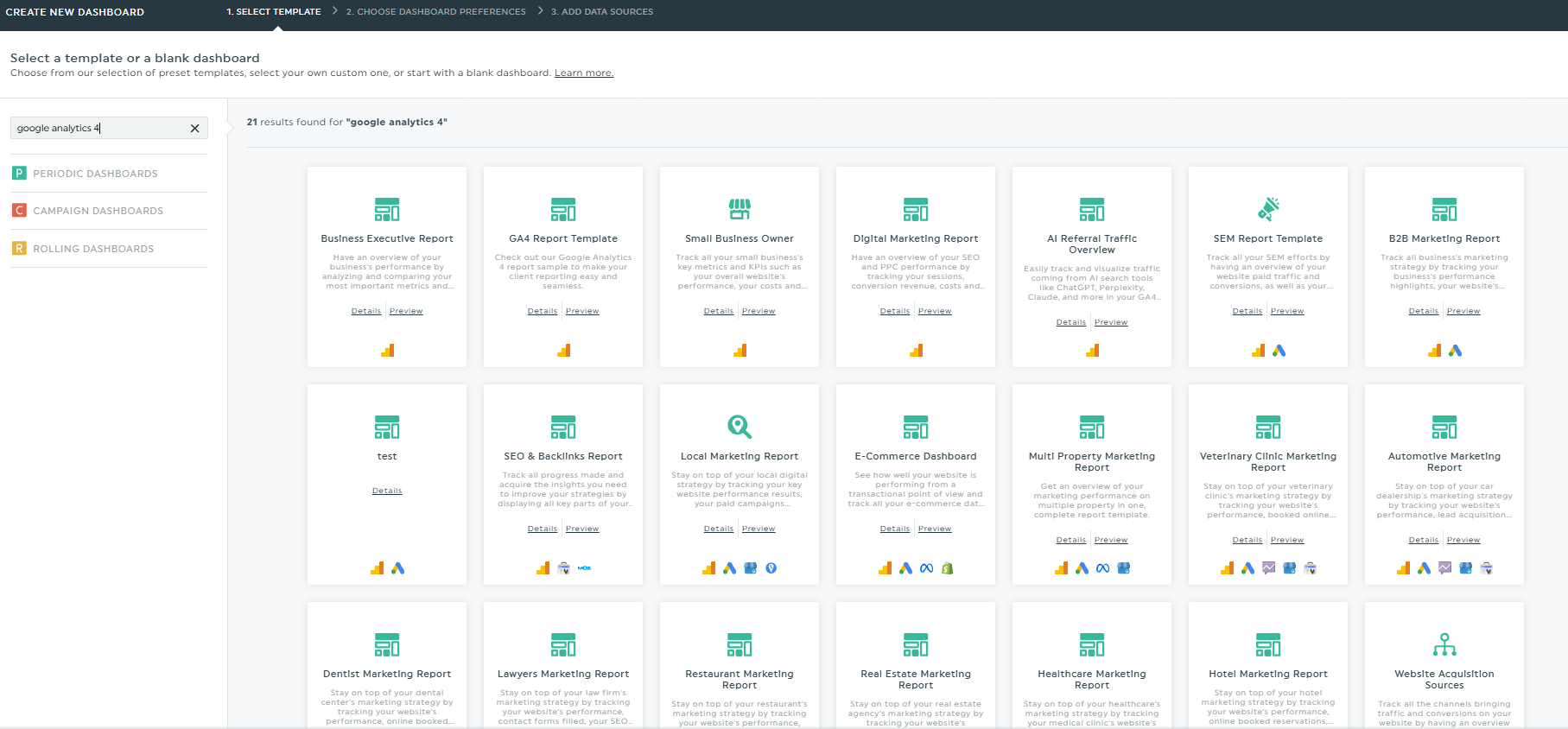
- Start from a template. Not sure which data to show? In your Dashboard manager, click Create Dashboard and search for GA4 to find the GA4 Report template.
- Seeing a permissions error? Your connection is missing a permission. Reconnect Google Analytics 4 from your integrations page and select every checkbox on Google's screen.
Need help with Google Analytics 4?
Contact our Support Team here 💪🏼
What's next?