
How to subscribe
-
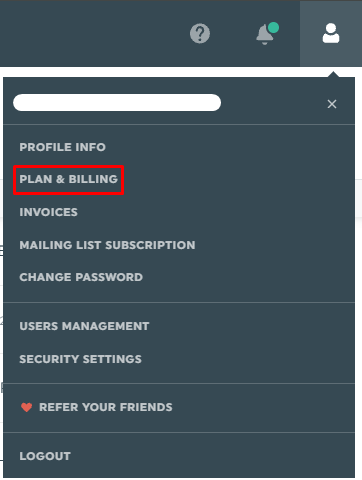
At the top right-hand corner, click on your account settings + plan & billing
-
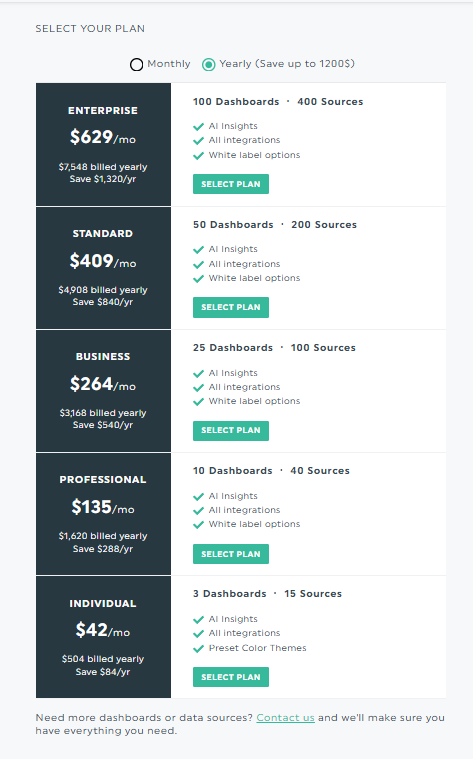
Choose the plan that suits your needs and click “Select Plan”
-
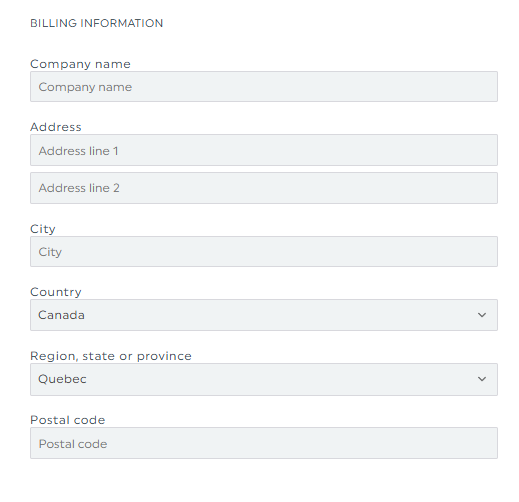
Enter your billing address information
-
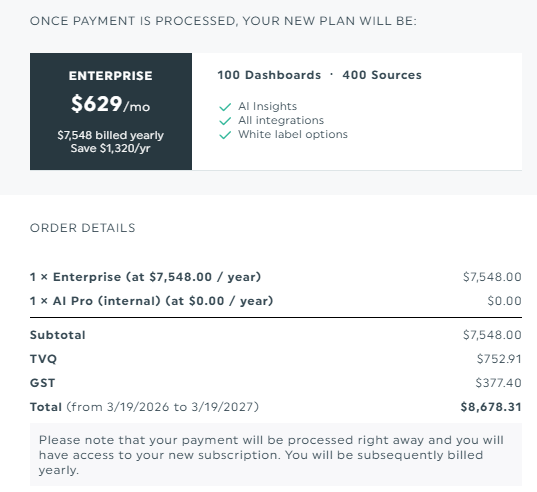
You will then see an overview of your order details (no payment is processed here)
-
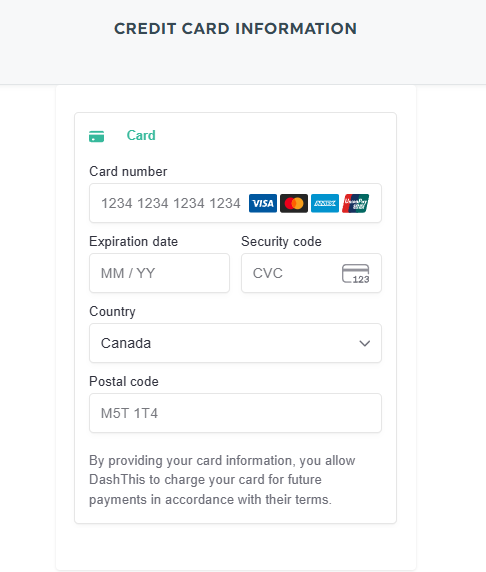
Then you will be asked to enter your credit card information and click on Process Payment (your payment will then be processed)
Accepted payment methods
DashThis accepts credit and debit cards only: Visa, Mastercard and American Express. A debit card works as long as it runs on one of those networks. We do not accept PayPal for subscriptions.
Welcome to your new reporting home! We’re gonna have a great time together! 🙂
Should you need any assistance with subscribing to your DashThis plan, please reach out to our Support Team.