
When you connect: Google may ask for a passkey
Starting August 5, 2026, Google may ask you to set up a passkey before you authorize or reauthorize your Google Ads account. If you do not have one yet, you may be prompted to create it. A newly created passkey can take up to 7 days before Google allows it to be used for Google Ads authorization.
Auction Insights data is not available
Competitor share-of-auction data is not available through Google's API, so it cannot appear in any third-party tool, including DashThis. You can still view it in your Google Ads account under Insights › Reports › Auction Insights. To bring it into DashThis manually, see this article.
How your search terms matched your ads
The Search Term Match Source dimension shows how each search term matched your ad: Advertiser keyword, AI Max (broad match), AI Max (keywordless), Dynamic Search Ads or Performance Max. Use it to see how much of your search traffic comes from AI Max.
Google hides search terms with low volume, so the total of its rows can be lower than the campaign's total.
The Search Term Match Source filter works only on widgets that use the Search Term or Search Term Match Source dimension. Search Term Match Source, as a dimension or as a filter, cannot be combined with conversion filters.
How conversion data refreshes
Google Ads conversions can be credited days or weeks after someone sees your ad. To capture late conversions, DashThis refreshes conversion metrics for the current period and the previous 30 days. A conversion credited up to 30 days after your dashboard period ends still updates your widgets.
Metric and dimension combinations that will not work
Google's API restricts some Shopping combinations. These pairings return no data:
-
Shopping dimensions with Conversion Rate or All Conversion Rate: not supported for any Shopping dimension.
-
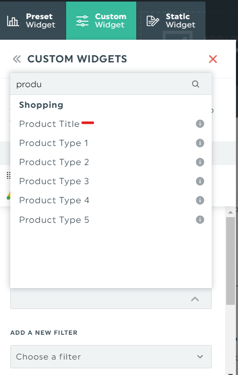
Product Title with conversions: the Product Title dimension cannot be combined with conversion-related metrics (Conversions, Conversion Value, Cost per Conversion, ROAS, and similar) or with the Conversion Name and Conversion Category filters.
How ads and previews display
-
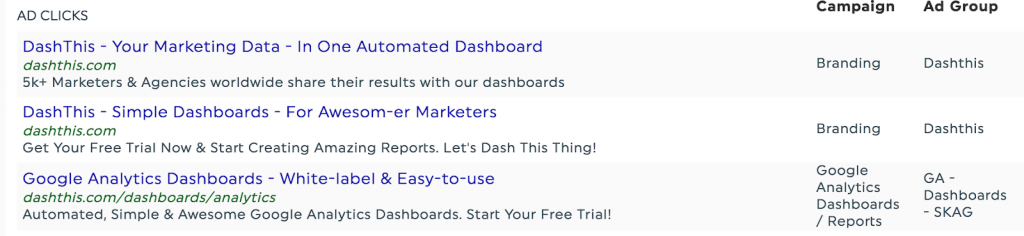
Ad dimension in a Multi-Column List widget: the Ad dimension (also labeled Search Ad with Preview) recreates a Google search result showing your Ad, Campaign, and Ad Group. It is available only in a Multi-Column List widget.
- Video ads show text, not a thumbnail: for video ad formats, DashThis displays the ad title and description, but Google's API does not provide a thumbnail, so no image appears.
-
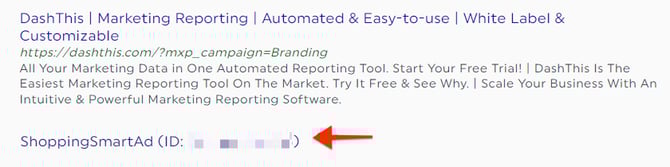
Shopping ads show an ID, not a creative: Google returns Shopping ads as dynamic ads with no title or image, so DashThis shows the ad type and its ID instead of the creative. To report on product names, use the Product Title dimension.
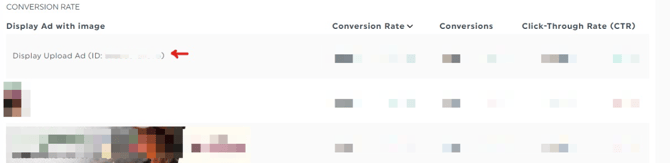
- Some ad types show only an ad ID: when Google’s API does not return a rendered preview for an ad type, DashThis shows the ad type and its ID (for example Shopping Ad (ID: 123...) or Call Only Ad (ID: 123...)) instead of an image or description. Your metrics are still reported correctly.
Connect Google Ads to Google Analytics
To analyze what visitors do on your site after they click, link your Google Ads account to your Google Analytics account. See Google's guide on linking Google Ads and Analytics.
Need help with Google Ads?
Contact our Support Team here 💪🏼
What's next?